.png?fit=max&auto=format&n=bgX9afXAsFEQjCsc&q=85&s=439bdeee25b383fe2205a0b87189c19f)
.png?fit=max&auto=format&n=S-Hkm3ivcon5Z7vT&q=85&s=04ac779a322def7e91255567df5a4536)
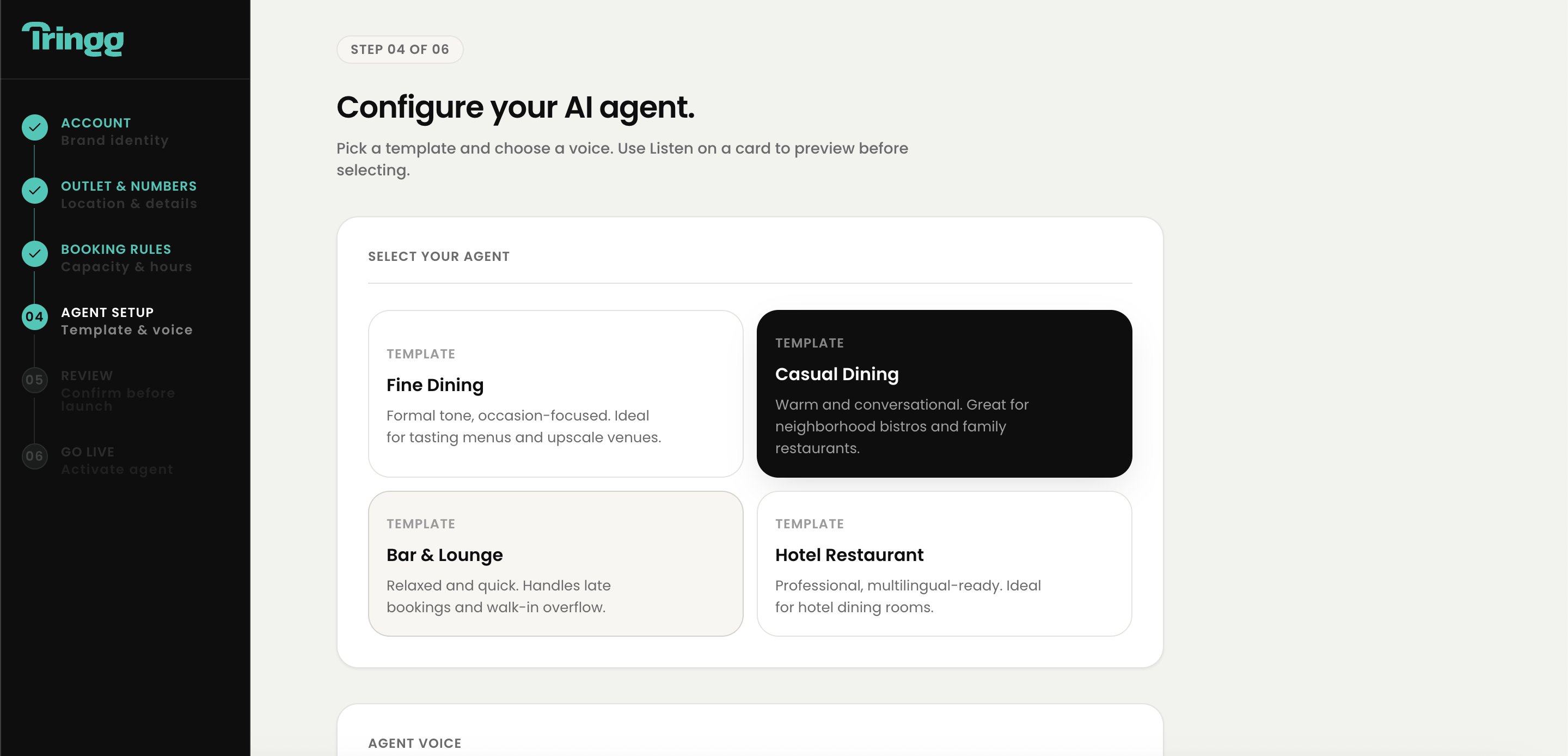
Pick a template
1
Browse templates
Fine Dining, Casual Dining, Bar & Lounge, Fast Casual / Café, Hotel Restaurant, or General Purpose.
2
Compare the details
Each template shows its name, a short description, estimated latency, and cost per minute.
3
Select one
Only one template is active at a time — you can change your selection before continuing.
Pick and preview a voice
1
Filter voices
By gender (Male / Female / Neutral) and accent (US / UK / Indian English / Australian / Neutral) — apply filters before previewing.
2
Tap to Speak
Click the microphone icon and speak a sentence (5–20 seconds). Tringg synthesizes your own words back in the selected voice — not a generic sample — so you know exactly what your callers will hear.
3
Compare voices
Preview two or three voices side by side using the same spoken sentence, rather than cycling through options one at a time.
4
Click Continue
This saves your template + voice selection and creates your agent in Draft state, automatically linked to your outlet. The agent’s name defaults to the template name.